Reuse canned responses and a signature
Build your own library of replies and insert them with a slash in the composer, then set a signature you can drop at the end of a message.
A shift contains a handful of sentences you type ten times over. This page keeps them as responses you insert with a few characters, and adds a signature for the end of a message.
Goal
The wording you use most is waiting in the composer behind a shortcut, and your signature goes exactly where you want it.
Before you begin
- A signed-in account. Canned responses and the signature belong to a person, not to the workspace.
- Wording your team agrees with, if the answer touches policy.
- The old
/settings/canned-responsesaddress is no longer a page; it redirects to Settings on the matching tab.
Steps
Press the Settings icon at the foot of the navigation column, beside your account name.
Choose the Canned responses tab. The list of responses appears with a box to search by shortcut, title or content.
Press New response, fill in Shortcut, Title and Content, then
press Save. Accents and spaces in the shortcut are converted for you, so
"Báo Giá" becomes bao-gia.
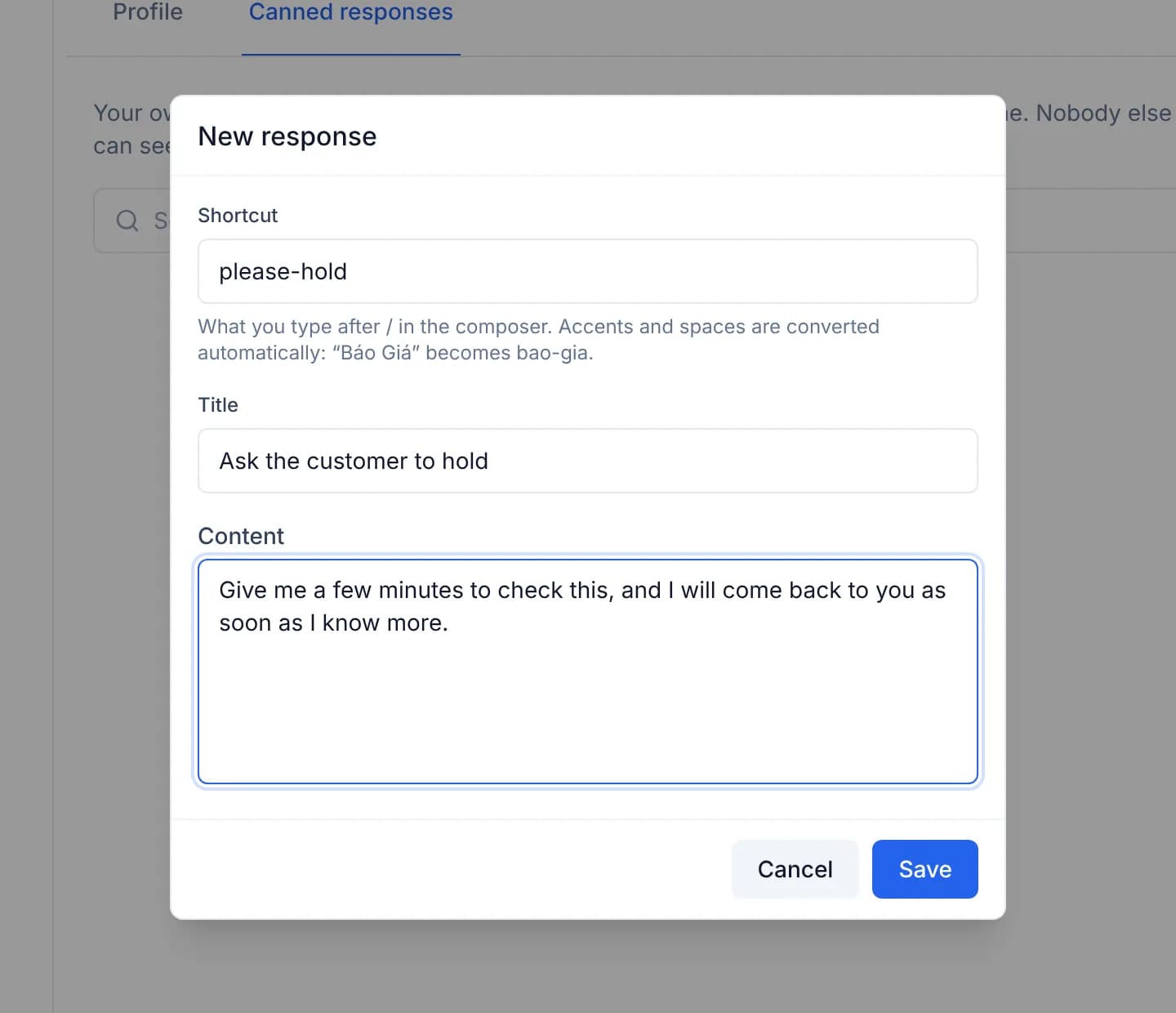
Back in a conversation, type / followed by the shortcut in the composer. Pick
the response from the list to insert its whole content at the cursor.
While the composer is empty, the console offers a few responses matching the customer's latest question under a Suggested label. Clicking one inserts it; typing makes them go away.
Set the signature on the Profile tab of the same Settings page: fill the Signature box and press Save Changes.
In the composer, press Insert signature to drop it at the cursor. No message receives a signature on its own.
A canned response belongs to one person
The library is tied to the signed-in account; colleagues cannot read or use your responses. A wording the whole team should share has to be created once per person for now.
Verify
The new response is listed on the Canned responses tab with its shortcut. In
a conversation, type / with that shortcut and pick it: the full content lands
in the composer. The usage count next to the response goes up after each
insertion.
Troubleshooting
| Symptom | Cause | What to do |
|---|---|---|
Typing / brings up no list | The slash has to open a line or follow a space | Delete the character before it and type / again |
| The list appears without the response you want | The shortcut was converted to an unaccented form when saved | Open the Canned responses tab and read the stored shortcut |
| Insert signature answers No signature yet | The signature box on the Profile tab is empty | Fill it in and press Save Changes |
/settings/canned-responses lands on Settings | The old address is a redirect and no longer a page of its own | Use the Canned responses tab directly |
Next steps
Archive a conversation and mute it
Clear your own queue by archiving what you have finished, and mute a noisy conversation for a chosen period, without changing a colleague's queue.
Message a colleague directly
Open a private room between staff inside the console, so a question between two people does not have to move to a separate chat application.