Reply to a customer, or write a note
Use the two composer modes: one sends to the customer, the other stays with the support team, and know exactly where the boundary between them sits.
The composer has two tabs, and picking the wrong one is the kind of mistake you cannot take back. This page says which tab reaches the customer and which one stays in the building.
Goal
Send an answer to the customer, record an internal aside in the same conversation, and tell the two apart on screen without guessing.
Before you begin
- Write permission on conversations. Without it the composer is locked and explains why — see Roles and per-feature permissions.
- A conversation open in the timeline.
- A healthy connection on that conversation's channel, or an outgoing message comes back as failed.
Steps
Open the conversation. The composer at the bottom starts on the Reply tab, with the placeholder Reply to the customer….
Type the answer and press Send. The message appears in the timeline with its delivery state and goes out over the channel the customer is using.
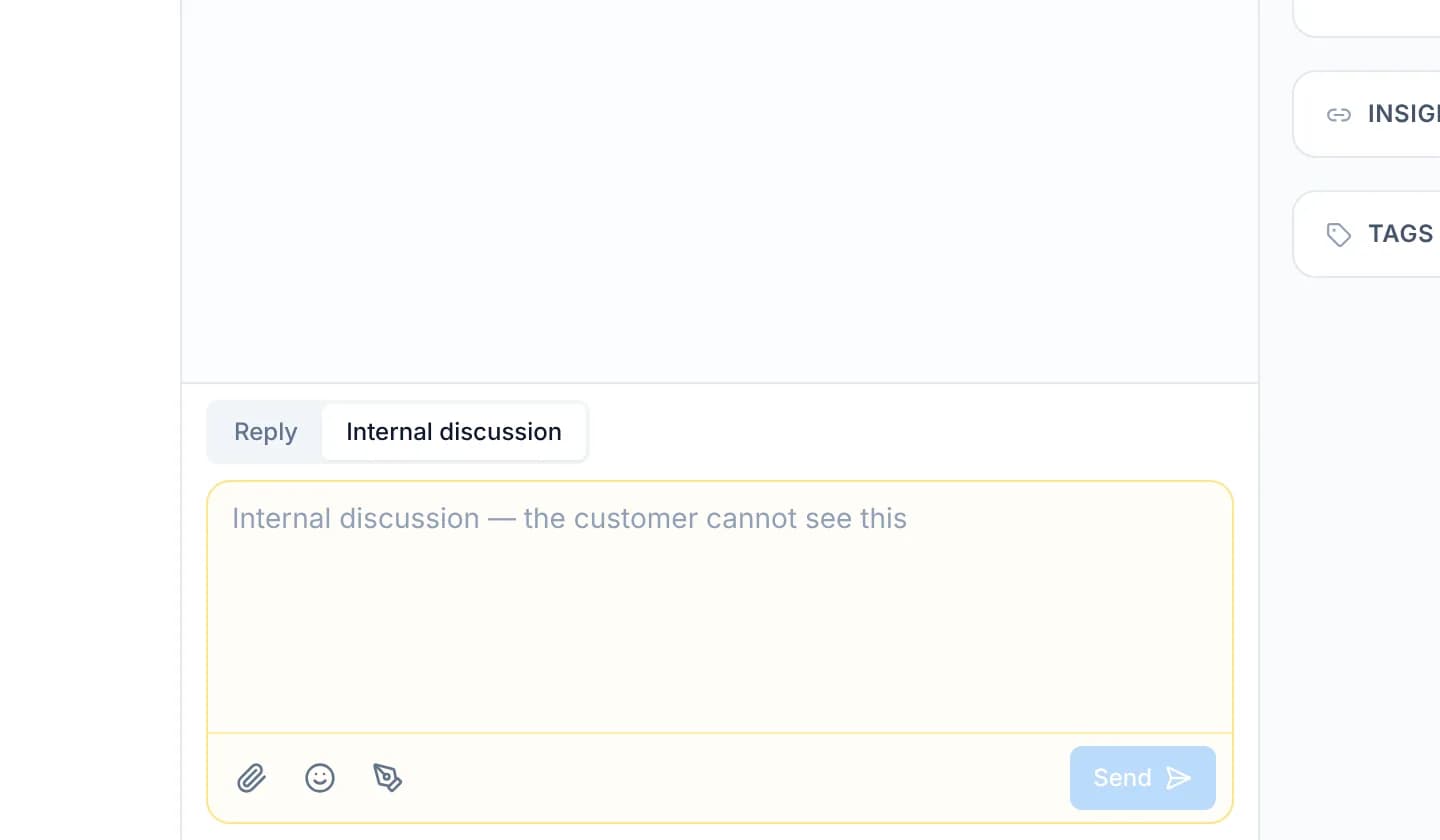
To talk to a colleague instead, press the Internal discussion tab. The composer changes colour and the placeholder becomes Internal discussion — the customer cannot see this.
Type the note and press Send. It sits in the timeline under an Internal badge, at its own point in time rather than in a separate list.
To quote an older message, right-click it and choose Reply. Quoting an internal message locks the composer onto the internal tab.
Press the Filter messages icon in the header and choose Customer conversation only. What remains is what the customer can read.
Two things the system guarantees about internal messages
A customer never sees an internal message. The website widget and the customer portal both drop internal messages before answering. They work from an allowlist of the fields that may leave, rather than hiding rows in the interface.
The server refuses a public message that quotes an internal one. A quote is a copy: the older text travels inside the new message, so a public reply carrying an internal quote would walk straight past that filter. The console locks the tab, and the server rejects the same combination with a 400 even when a client posts it directly.
Verify
An internal message carries the Internal badge in the timeline; an answer to the customer does not. Switch Filter messages to Customer conversation only: the internal message disappears from the list and the answer stays. Switching to Internal discussion only does the reverse.
Troubleshooting
| Symptom | Cause | What to do |
|---|---|---|
| The Reply tab will not respond | An internal message is being quoted, so the tab is locked and says so | Drop the quote with the close button beside it, then write again |
| The composer is greyed out | The account has no write permission on conversations | Ask an administrator for the conversations admin role |
| A message reports a failure with a reason from the channel | The channel refused it, for example outside Zalo's send window | Read the stated reason, then resend or discard with the two buttons beside it |
| Half the timeline is missing | Filter messages is on, and the tinted icon is saying so | Choose All messages again |
Next steps
Assign an owner and teams
Hand a conversation to one accountable person, pull in the teams that share the work and add followers, so no conversation sits there unowned.
Tag a teammate and open a thread
Pull a colleague into a conversation with an @ mention inside an internal message, and open a thread on one message to keep the main timeline clear.