Archive a conversation and mute it
Clear your own queue by archiving what you have finished, and mute a noisy conversation for a chosen period, without changing a colleague's queue.
Some conversations are done as far as you are concerned but cannot be resolved yet, and some carry so many people that the notifications never stop. This page handles both.
Goal
Your queue holds the work you still have to do, and noisy conversations stop announcing themselves for as long as you choose.
Before you begin
- Write permission on conversations for archiving and marking unread. Muting a customer conversation is open to any operator.
- Deleting a conversation belongs to administrators — see Roles and per-feature permissions.
- A queue open under Conversations.
Steps
In the queue, point at a row and press the More actions button in its top right corner.
Pick a period under the Mute conversation heading, from For 15 minutes to Until I turn it back on. The row takes a Notifications muted marker straight away.
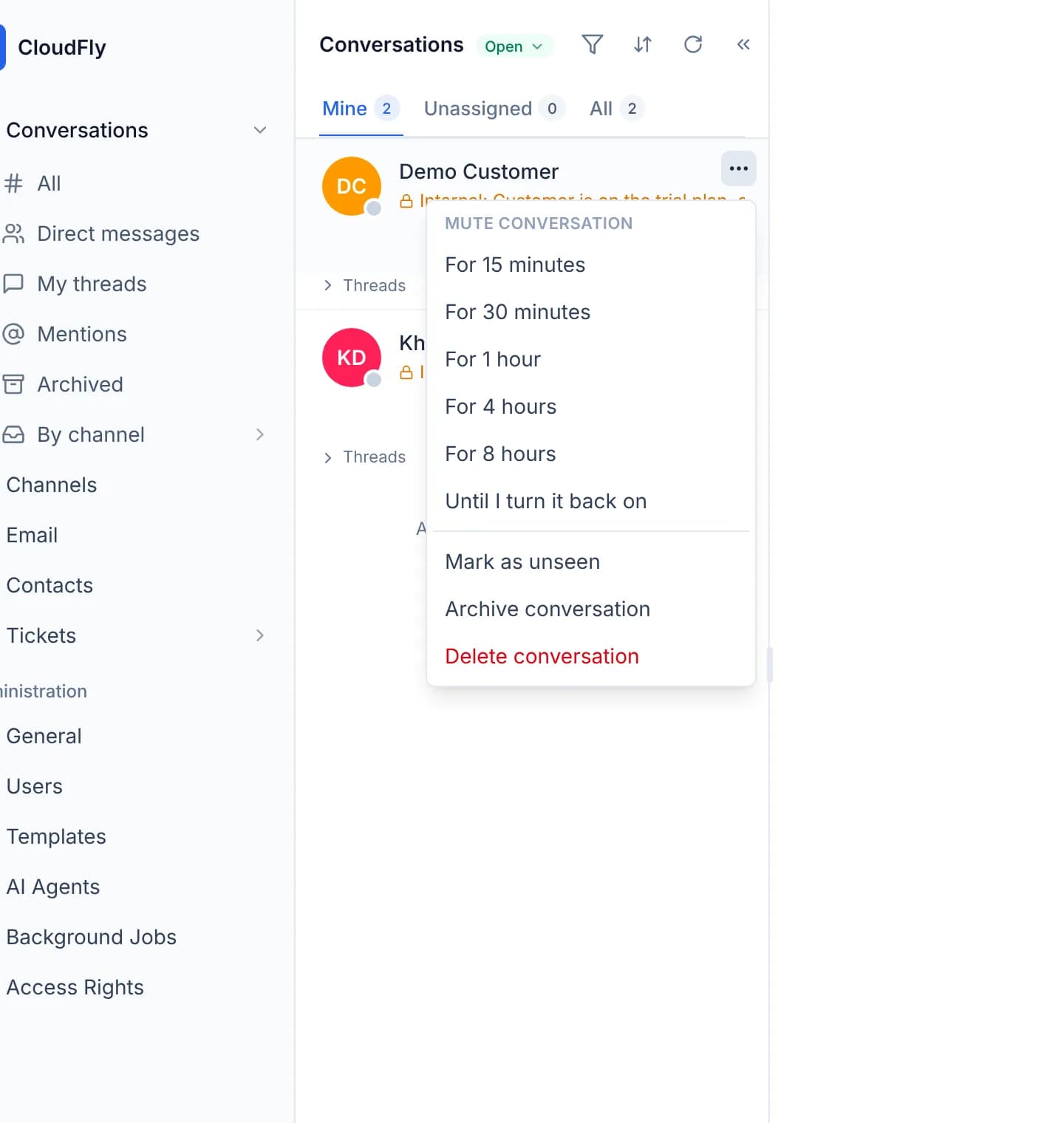
To hear from it again, open the same menu and choose Unmute. The entry only appears while the conversation is muted.
Once your part is finished, choose Archive conversation. The row leaves your queue and stays where it is in everybody else's.
Review what you put away under Archived in the left column. The actions menu there offers Unarchive conversation to bring the row back.
To return to a conversation later, choose Mark as unseen. Unlike the other two, this unread marker is shared with the whole team.
Archiving means “done for now”, not a folder
When somebody writes in an archived conversation it returns to the queue of everybody who archived it. Activity lines, such as a status change or an assignment, do not count as somebody writing, so they leave it where it is.
Verify
The muted row carries the Notifications muted marker in the queue. The archived row is gone from Conversations and present under Archived. Sign in as a colleague: the same conversation is still sitting in their queue.
Troubleshooting
| Symptom | Cause | What to do |
|---|---|---|
| No More actions button on the row | The button darkens on hover or when reached with the keyboard | Point at the row, or Tab across to it |
| The menu offers no archive entry | The account has no write permission on conversations | Ask an administrator for the conversations admin role |
| An internal room's menu offers no mute entry | You are not among that room's followers | Ask somebody in the room to add you as a follower |
| An archived conversation reappears in the queue | A customer or a colleague has written in it | Working as designed; archive it again when you are finished |
| Delete conversation is missing | Deletion is reserved for the administrator role | Ask an administrator if a deletion is truly needed |
Next steps
Tag a teammate and open a thread
Pull a colleague into a conversation with an @ mention inside an internal message, and open a thread on one message to keep the main timeline clear.
Reuse canned responses and a signature
Build your own library of replies and insert them with a slash in the composer, then set a signature you can drop at the end of a message.