Merge two duplicate contacts
Absorb a duplicate record into the contact you are looking at, on the Merge tab. The record you pick is deleted for good, so a confirm box comes first.
Someone who writes in over two channels has two records, and you are the one who knows it is one person. This page walks you through folding those two records into one, on the Merge tab of a contact.
Goal
After the merge, the contact you are looking at holds every conversation, ticket, channel identity, insight entry and history line of the other record. The other record no longer exists.
Before you begin
- The
unlinkpermission on Contacts for both records — the same permission that deletes a contact. Administrators always have it; for other roles see Roles and feature permissions. - Your own evidence that the two records are one person. Still unsure means link the two records rather than merge them.
- A decision on which record survives: the one whose detail page you open lives, the one you pick on the Merge tab is deleted.
Steps
Open Contacts, find the record you want to keep, and press View details on its row. The merge direction starts here.
In the right-hand panel, press the Merge tab. The panel carries a search field, a list of records you can absorb, and a Merge contacts button.
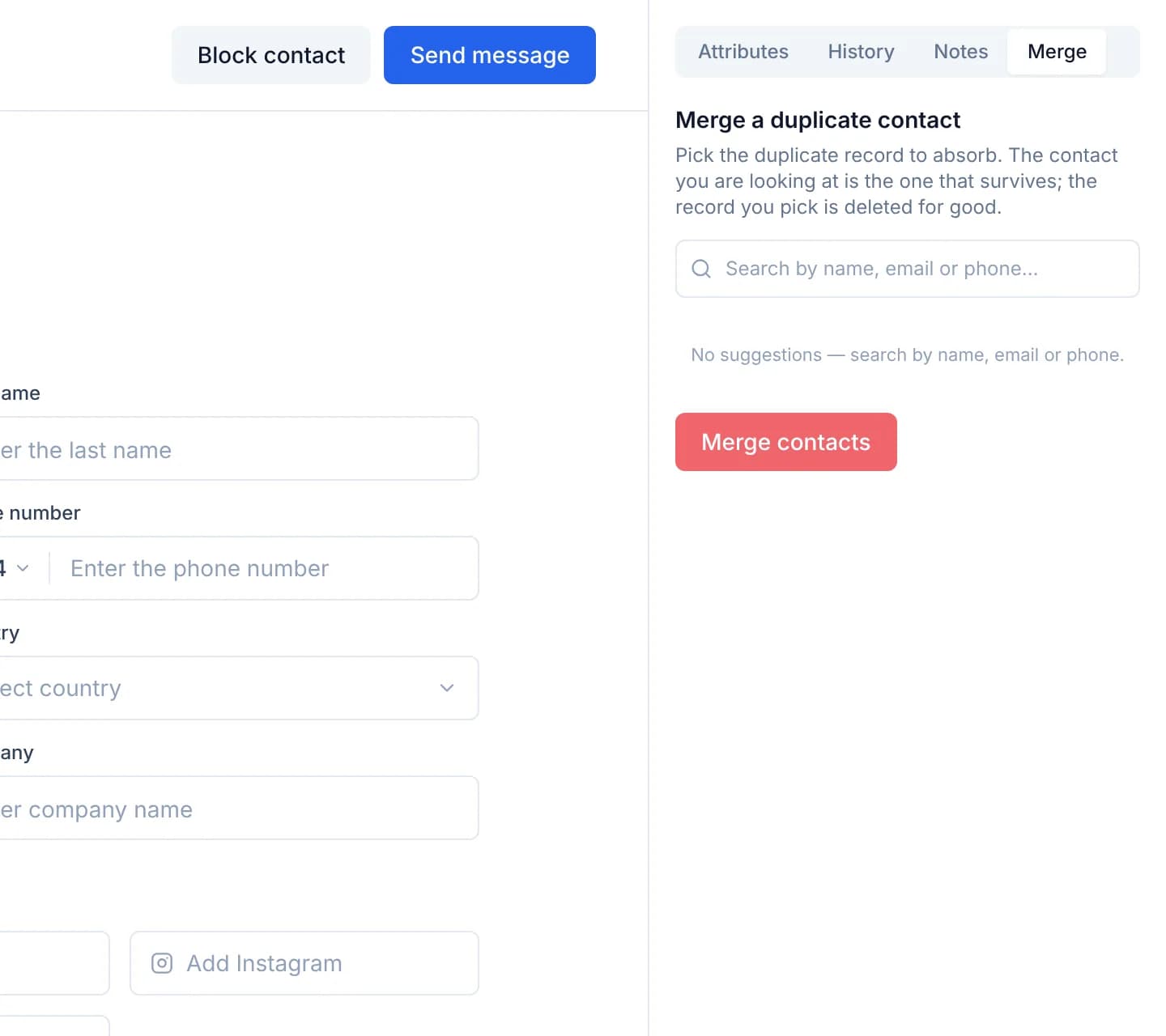
Read the Already marked as the same person group at the top of the list. Those are the records a colleague already tied to this one, so they are the closest merge candidates you have.
If no name in that group is right, type into Search by name, email or phone…. The badge at the end of each row says why the system named it.
Press the row of the record to absorb. An amber line appears reading Selected — this record will be absorbed and deleted, with that record's name.
Press Merge contacts. The Merge and delete a contact? box opens, naming both records, what moves across, and that the action cannot be undone.
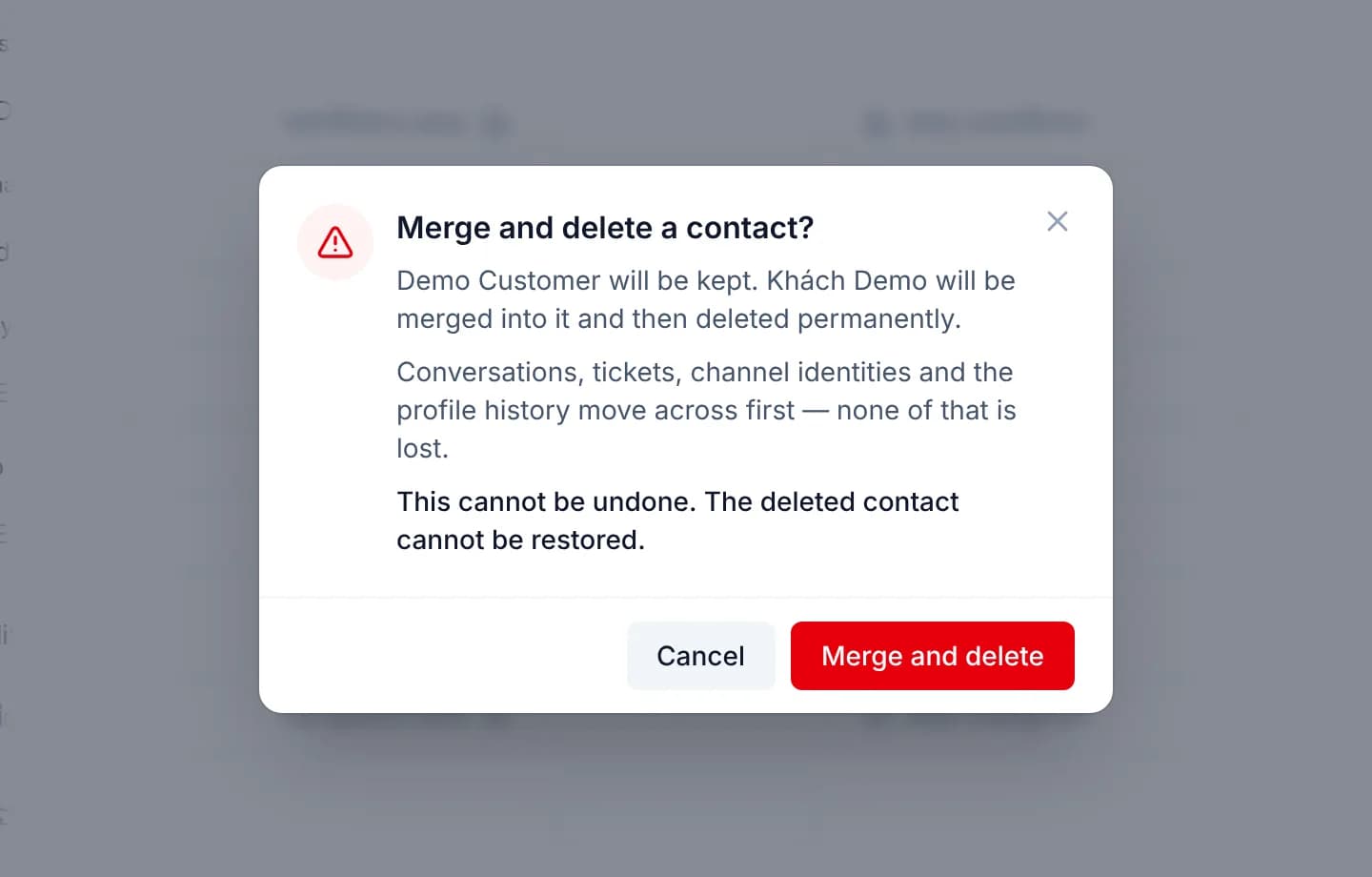
Read the two names in the box once more. Right way round, press Merge and delete; the wrong way round, press Cancel and open the other record's detail page instead.
Only when both records own a portal login, the box moves to a second step instead of merging. It names which record's login is given up, then asks you to retype the name of the record you have open; the confirm button stays locked until it matches. Press Copy the name to copy it and paste it in — the name carries diacritics and spaces, and typing it by hand mostly means mistyping it.
This is not a fault. One unique index carries one account, so a merge is certain to cost one of them; retyping the name is where you say which login you know you are giving up.
A merge is a deletion, and there is no way back
The absorbed record is removed from the database: no copy is kept, no undo button exists. Its data has moved to the surviving record, but the record itself is gone. When you are not certain the two are one person, use record linking instead: staff still read one shared history, and it can be undone at any time.
The confirm box names categories, not counts
The confirm box lists what moves by category — conversations, tickets, channel identities, profile history — and does not count how many conversations or tickets will move. Merging also works one pair at a time from a detail page; the Contacts list carries no bulk merge.
Verify
The Contacts list now holds one row for this person, and the absorbed record is gone. Open Conversations: the conversations that used to belong to the other record now carry the surviving record's name and open under it.
On the surviving record, open the History tab: below the Created and Updated timestamps sits a line naming you, the record that was absorbed, and when the merge happened. That name is read and stored before the deletion, so it stays readable even though the other row is gone.
The same line also appears in the Linked records block of the right-hand panel when you open one of this person's conversations and press the History icon next to the label.
Troubleshooting
| Symptom | Cause | What to do |
|---|---|---|
| The confirm box reports that both records own a portal login | A customer whose backend record was deleted and re-created is issued a second identifier, so both profiles hold a portal account. Only one can be kept, so the server refuses with a 409 and writes nothing | No need to leave the page: the box asks whether to give up the absorbed record's login. The surviving record keeps its own. If the other login is the one to keep, cancel and merge from that contact instead |
| The absorbed record owns a portal login and the survivor does not | Not a fault — the account moves across to the surviving record, and the customer signs in exactly as before | Nothing to do |
| The merge is refused for lack of permission, or the record you want is missing from the list | The account lacks the unlink permission on Contacts for one of the two records — it is checked on both | Ask an administrator for the permission, see Roles and feature permissions |
| The suggestion list is empty | Facebook and Zalo return no real email address or phone number for a customer, so there is nothing to match on | Type the customer's name into the search field |
| A conversation still carries the deleted record's name | A title an operator typed by hand is not overwritten by a merge, by design | Rename that conversation by hand |
Next steps
Link two records as one person
Declare that two contact records are one customer, so staff read one shared history — and undo it when the call was wrong, because a person made it.
Start a conversation from a contact
Write to a customer first: the Send message button opens their newest conversation, or asks which channel to reach them on and creates one.